Blog posts tagged with the following topic: "accessibility"
Combining axe-core and PA11Y
Excerpt:
My initial thoughts were to decouple PA11Y from it's headless browser, and run it as part of the Selenium tests, rather than booting up 2 separate browser instances which would add seconds onto each test they could just both hit the same page when it was open.
However, on closer inspection, it turns out that using both is actually far simpler than I anticipated. PA11Y has the ability to use different 'runners' or plugins. So, using axe-core and PA11Y together is as simple as passing in the runners in as an option.
We use axe-core by Deque regularly as part of acceptance tests.
With GitLab now offering PA11Y as part of the Continuous Integration (CI) Pipeline with zero config, I wanted to understand how it stacked up against axe-core. Can you drop axe-core for PA11Y? Can you drop PA11Y for axe-core? Should you use both?
5 arguments against accessibility and why they are wrong
Excerpt:
In my role, I deal with many different teams and organisations. I also get involved in a bunch of other things on the side, just because accessibility is so misunderstood. One thing which has become quite apparent is that there are some common misconceptions regardless of which team, department or arms-length body you talk to.
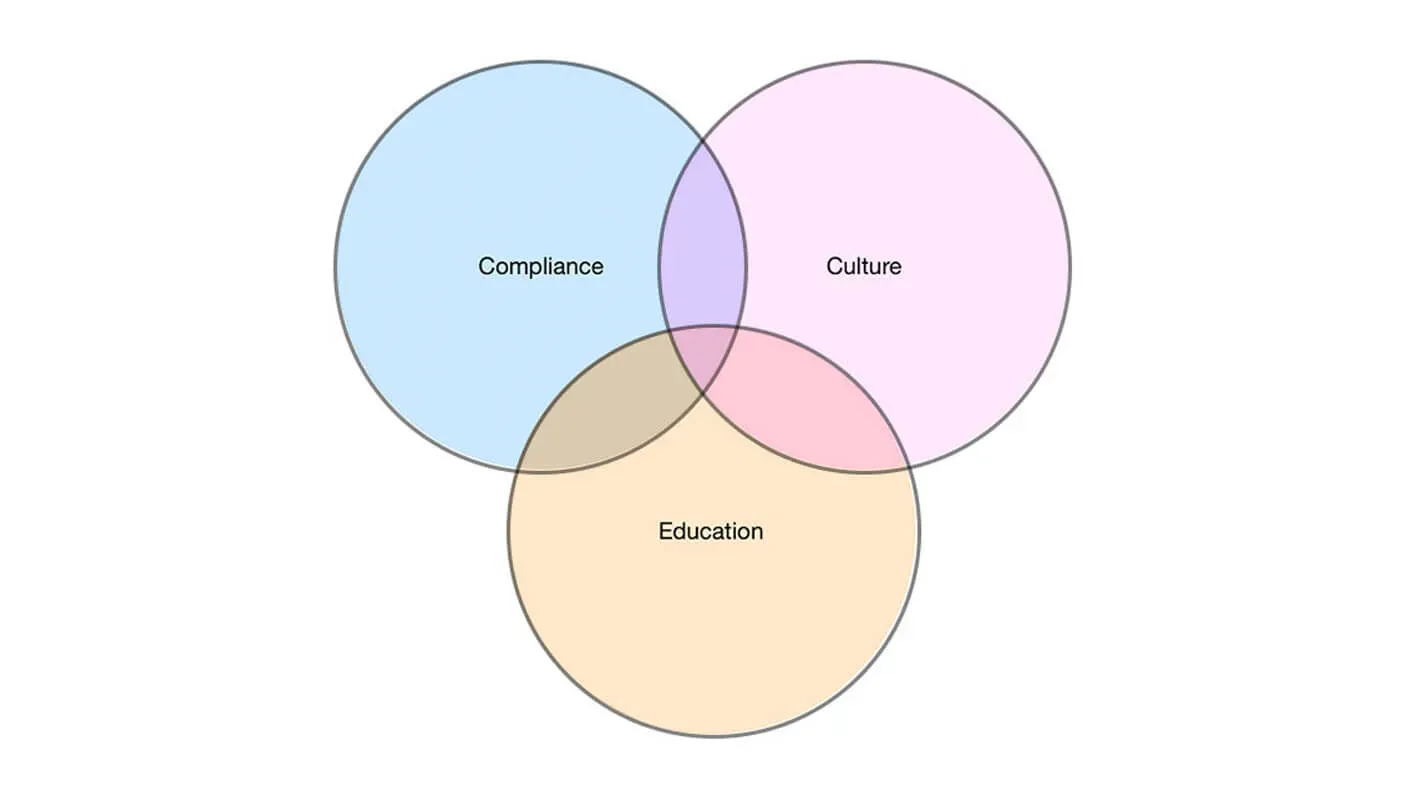
I remember in school we learned about the fire-triangle. Fuel, Oxygen and heat are required to make a fire burn. If you remove any of those things from the equation, the fire will use up what it has left and eventually burn out.
We can think of accessibility in a large organisation in the same way. There are 3 core parts. Compliance, education, and culture. If you lack any of these 3 things over a sustained period of time, the strategy is unsustainable and your ability to consistently deliver accessible services will burn out.
What is it like to use a screen reader on an inaccessible website?
Excerpt:
Screen readers are amazing things. But they can be difficult learn and use.
When we see with our eyes, we see in 3 dimensions. We can look up, down, left and right, and we can look a things close to us or in the distance.
Almost all websites are 2 dimensional. You can position content top to bottom and left to right.
A screen reader really can only view a website in 1 dimension. It's features are linear. It removes all of the visual positioning, lines all of the content up, then it navigates through it from start to finish.
Ok, this maybe should have been called one-page-applications are rarely accessible. Anything can be made accessible, it just takes a lot of effort, and very few people put the effort in.
One-page-applications are on the rise. With them you get funky animations and cool transition effects. Some are a real beauty to behold.
The biggest problem with one-page-applications, is they often create a terrible experience for people using screen readers.
As designers, we always like to put our stamp on things. We like to make things fancy and show off our full range of talents. Then when it comes to coding them up, we abuse our design!
We float things right. We use absolute positioning. We style links to look like buttons. We use fancy hover states and chuck in break tags in to create whitespace.
Then, we marvel at how pretty our designs look. After all, as long as it looks good, that's all that matters. Right?
There's a common misconception that people using assistive technologies are an edge case. That they fall into that 1% where people disable Javascript. But, this couldn't be further from the truth.
I'm going to show you why it's important to make your website accessible.
Last week I attended Camp Digital, in the beautiful Town Hall of Manchester.
It was your usual digital conference. Your usual crowd. But, today I saw a talk that has changed the way I think about websites and service design forever.